
Buncombe County Court Docket Searches
Start with the North Carolina eCourts Portal. That is the public doorway for a Buncombe County court docket search. Buncombe joined eCourts in July 2024. Smart Search now covers public criminal, traffic, civil, estate, and nonconfidential special-proceeding cases. No account is needed for an ordinary public search. File & Serve exists for attorneys who e-file. It is not a requirement for viewing a public Case Summary.
Got a citation, summons, notice, or any earlier court paper? Type in the full number printed there. A careful name search works when no paper is handy. The Portal accepts party, business, citation, attorney, and case-number criteria. It then offers filters for location, case type, status, and filing date. Pick Buncombe from the location menu. One caution: a web result helps you find a case and its current activity. The Clerk's official record is what counts.
- Open the eCourts Portal and choose Smart Search.
- Enter a full case number, citation number, or a carefully spelled party or business name.
- Use Buncombe and case-type filters to narrow a broad result.
- Open the case number and review the Case Summary, especially its newest Case Events and Hearings.
- Use the Buncombe Clerk for a certified copy, a paper-file question, or confirmation when a result is unclear.
Note: a Portal result is public reference information only. The official court record is a copy certified by the Buncombe County Clerk of Superior Court.
Buncombe Docket Portal Basics
The Portal training resources spell out how a basic search differs from advanced filters. A filter cannot run alone. Enter a real search criterion first. Then narrow the list by Buncombe location, case type, status, or date if it comes back too wide. Portal documentation caps any query at 200 results. So a message saying 200 results were returned is your cue to add a useful filter. Do not assume the list is complete.
| Portal field | How it helps a Buncombe search | Local caution |
|---|---|---|
| Search Criteria | Starts a name, number, citation, business, or attorney search. | Copy a number exactly rather than reconstructing it. |
| Location | Limits a statewide result to Buncombe when available. | Dynamic menus change, so read the live choices. |
| Case Type and Status | Separates criminal, civil, estate, and nonconfidential special-proceeding results. | Available status choices change with the selected type. |
| Filing Date Range | Narrows a long list by when a case was filed. | It does not replace a basic search criterion. |
File & Serve sits inside the same statewide eCourts setup. But it exists for lawyers and filers, not searchers. A filing account is not required. Anyone can still open a public Case Summary through the standard search route. That division between filing tools and public lookup is worth remembering. It trips up plenty of first-time users.
The statewide picture comes straight from the source. The official North Carolina eCourts page lays out how the system works across every county. It also covers what the public side of the docket search offers.
The statewide service supports Buncombe case access. The local Clerk still keeps the underlying court file.
Court Dockets: What They Show
In Buncombe, the online public record usually goes by Case Summary. The Judicial Branch also calls it a Register of Actions. Its dated history comes from Case Events. The Portal only shows a block when the case actually holds that information. So a blank financial or hearings area does not mean the record is wrong. It does not mean the record is finished either.
| Case Number | The unique court identifier. Odyssey training shows a year, two-letter type, six-digit sequence, and county identifier pattern, such as 21CR000003-910. |
|---|---|
| Case and Assignment | Case information, status, filing-related details, and court-assignment information when recorded. |
| Party Information | Public party and counsel information. Portal public results omit victims. |
| Case Events | The chronological record of filings, orders, hearings, or other recorded actions. |
| Hearings and Dispositions | Current hearing information and outcome blocks when the case has them. |
| Financial Information | Appears when applicable and should be checked again after a payment. |
The Judicial Branch Portal materials are the reliable guide to the interface. They publish no Buncombe-only event-code dictionary. Read the exact label shown in the case instead of guessing at an abbreviation.
Buncombe Case Event Terms
A few local terms come up in Buncombe court records. A Trial Addendum Calendar supplements a published trial calendar. A Motion and Plea Calendar groups those particular criminal settings. A disposition is the recorded outcome. The file or certified judgment still controls the precise legal effect. Trust the Portal's plain labels over any attempt to decode undocumented short codes.
- Case Summary
- The Portal’s detailed public overview, also known as the Register of Actions.
- Case Event
- A dated item in the history, such as a filing, order, hearing, or court action.
- Trial Addendum
- A Buncombe supplement that can update a published Superior Court trial calendar.
- Disposition
- An outcome or status block entered when the case has been resolved in some way.
A chronology can keep older settings visible after the court moves a case. Before acting on any date, compare the newest hearing row with the latest Case Event. That matters most after a continuance or calendar addendum.
Buncombe County Courts and Their Dockets
Buncombe is District 40. One county Clerk serves the Superior Court, District Court, magistrate and small-claims matters, and Clerk special proceedings. The division a case lands in changes the case type and the local contact. It does not change the central point of custody. Above the county sit the North Carolina Court of Appeals and the state Supreme Court. An appellate review, though, does not open a new county Portal case.
| Court | Docket covers | Where to search |
|---|---|---|
| Buncombe Superior Court | Felonies, civil claims over $25,000, and stated appeals. | Portal Smart Search and the Buncombe Clerk. |
| Buncombe District Court | Misdemeanors, traffic, family, juvenile, and general civil matters. | Portal Smart Search or Search Hearings, then the Clerk. |
| Magistrate and Small Claims | Small claims up to $10,000 and defined preliminary or waivable matters. | Portal and the same Buncombe Clerk. |
| Clerk special proceedings | Estates, guardianships, foreclosures, adoptions, and related proceedings. | Portal for public material and the Clerk’s office. |
North Carolina runs its trial courts through distinct levels. The North Carolina courts description walks through the Superior, District, and magistrate roles so the structure makes sense before you dig into a Buncombe County court docket. The split matters here. A citation written anywhere in a Buncombe municipality lands in the state District Court system, not in some city criminal court, because no such local court exists.
To see that level directly, the official District Court overview describes the statewide tier that takes Buncombe traffic, misdemeanor, family, and general civil filings.
That statewide structure is why a Buncombe search starts at a common Portal. No separate city docket site sits in front of it.
Buncombe Weekly Court Calendars
The Buncombe local administrative schedules add a second layer. They sit on top of an individual Case Summary. Each week the county posts Criminal Superior Court Trial Calendars. It also posts Trial Addendum Calendars, Motion and Plea Calendars, and Plea Addendum Calendars. These PDFs are category-based session lists. They do not replace current hearing information inside an individual record.
Need a courtroom or time right now? Use Portal Search Hearings. It asks for Location, Hearing Type, a search type and value, plus a date range. The hearing-type, courtroom, and judicial-officer menus are live, dynamic choices. Read any result alongside the newest Case Event. If something conflicts, contact the right coordinator or the Clerk. The weekly category sheets appear on the official local schedules page.
A published calendar is handy for checking a session. The newest court event on a case is still the best clue to an active setting.
Court Dates and Settings in Buncombe County
A Buncombe County court date can surface in several places. The Case Summary's Hearings section is one. Portal Search Hearings is another. Weekly Criminal Superior Court calendars list settings. The Clerk or a trial coordinator can confirm a date by phone. These channels work best together rather than in isolation. A citation shows only an initial date. Later events can move it. Before trusting the date printed on an older notice, read the newest hearing entry on the docket. Criminal and traffic questions go to the Criminal/Traffic Division at (828) 259-3402. Civil Superior and Civil District trial coordinators split their duties. Know the division before calling about a civil setting. The full Buncombe County court schedule explains each confirmation channel and the local calendar labels.
Buncombe Case Search Gaps
No Portal result does not mean no case. Treat an empty return as a prompt to check, not as proof. Start with spelling. Check the number format, location, and filters too. A case may simply be older. It may sit in another county, be restricted, or be a paper-file question the online display cannot settle. When the screen does not answer, the Clerk's public self-service terminals and the paper file in the county where the case sits are the next practical routes. Sealed, expunged, confidential, and juvenile material never appears as ordinary public Portal content. For the terminal and paper-file route, follow the Judicial Branch court-records guidance and ask the Buncombe Clerk which division keeps the file. The Buncombe County Courthouse page identifies the building that houses the local court and the Clerk's records counter for Buncombe records.
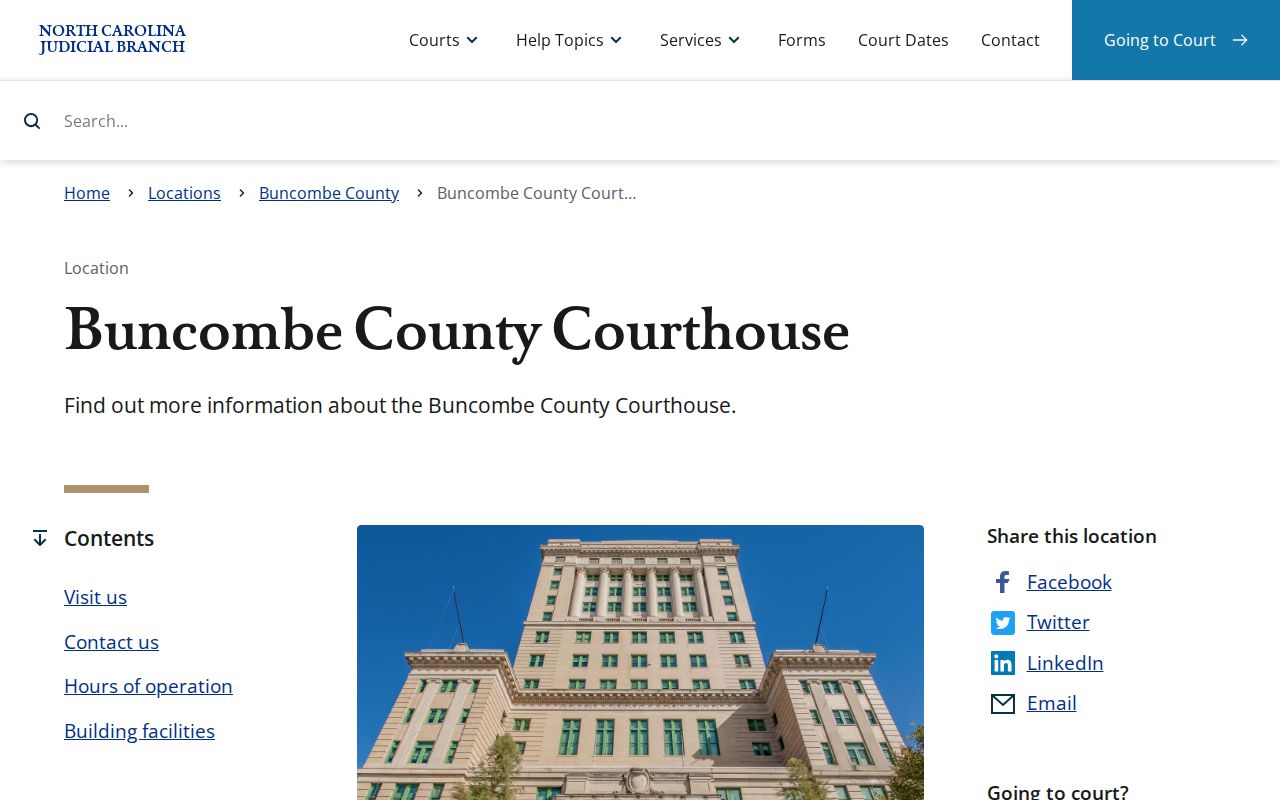
One building houses the courts and the Clerk's records functions. Staff at the counter can identify the division that keeps a particular file.
Docket Access Under North Carolina Law
North Carolina law treats the Clerk's records, files, dockets, and indexes as open to inspection during regular hours. Another law can block access in some situations. The electronic Case Summary is a convenience layer. It does not replace the official custodian of the court record. The Buncombe Clerk can inspect the county file. The Clerk can also issue whatever copy type the record allows.
Key rules:
G.S. 7A-109 requires clerks to maintain court records and generally permits inspection unless access is prohibited.
G.S. 132-1 treats public records as public property and addresses copies at minimal or actual cost.
G.S. 7B-3000 limits public access to juvenile delinquency records.
G.S. 7B-2901 restricts abuse, neglect, and dependency records.
The Portal offers no public Social Security-number validation. Sealed or confidential documents stay outside ordinary public access. No search term can make a closed record public. The Judicial Branch's public-records request page spells out the difference between an agency records request and the local Clerk's custody of a case file.
For a document in a Buncombe case, the county Clerk, not a generic agency form, is the proper records contact. Start there.
Buncombe Clerk Record Fees
The Clerk's local fee schedule separates an ordinary paper copy from a certified document. A Portal printout can identify the record. Certification itself comes only from the Buncombe County Clerk of Superior Court. Before sending payment, ask for the case number, the precise document, and the plain, certified, or exemplified form you need. The county posts no universal copy-order form. It makes no turnaround promise either.
| Clerk service | Published amount |
|---|---|
| Regular document copy | $2 first page; $0.25 each additional page |
| Certified copy or certificate under seal | $3 |
| Exemplification | $10 |
| Transcript of judgment | $10 |
These fees pay for Clerk record services. Searching the public Portal costs nothing. For local fee context and the Clerk's broad records role, turn to the Buncombe Clerk source. That official information also explains why case-file questions should go to the county office that keeps the record.
Each case type has its own contact. Use the division line for criminal, civil, small-claims, estate, or calendar questions that need staff confirmation.
How the Clerk Keeps Docket Records
The Buncombe County Clerk of Superior Court keeps the docket records for Superior Court, District Court, magistrate and small-claims, criminal, traffic, civil, estate, special-proceeding, and judgment files. The Criminal and Traffic Division enters cases, citations, and dispositions for both trial-court divisions. The office is large. Its own description reports 63 employees spread across 12 divisions and nine courthouse floors. That scale matters. Identify the case type first. Staff can then route the call quickly.
Buncombe County Clerk of Superior Court
60 Court Plaza
Asheville, NC 28801
(828) 259-3400
Dial (828) 259-3402 for criminal and traffic questions. Civil Records takes (828) 259-6367. Small Claims uses (828) 259-3407. The courthouse also offers public terminal and paper-file access to county cases, within each record's legal access limits. The official contact directory lists the court and Clerk routing details for any local record question.
Online access finds a public case fast. The Clerk still holds the original county record and the official copy channels.
Buncombe Court Technology Shift
July 22, 2024 marks the big local technology shift. That day Buncombe joined eCourts Track 5. The move brought Enterprise Justice, the Portal, and e-filing changes to the county. Older case events moved into the new environment. The Portal guidance carries one warning. Converted pre-go-live events can display a 12:00 a.m. timestamp. That is a conversion convention, not necessarily the actual time of the historical court action. The Track 5 transition notice documents Buncombe's conversion from legacy access. It covers the move to the statewide Portal environment. Paper and older-file questions still have a local Clerk-counter route. A digital search does not erase the need to locate the county file.
eCourts standardized online access across the state. Each court division and Clerk record type still reads best in its local context.
Buncombe Recovery Court Dockets
Buncombe District 40 runs two recovery programs: Adult Treatment Court and Veterans Treatment Court. Neither one sets up its own municipal docket. The criminal case behind the program stays right where it began. It sits in the normal Buncombe Criminal and Traffic Clerk and Portal system. Search by case number first. Sensitive treatment details may carry access limits. Program offices are the right call for scheduling or access questions tied to their docket entries.
Statewide descriptions of both programs live on official pages. See the Adult Treatment Court and Veterans Treatment Court pages for details. Buncombe's row in the 2025 recovery-court report shows 25 referrals, 11 new admissions, and 36 enrolled participants for its 2024 program. Keep those numbers in context. They describe one program, not the whole Buncombe County criminal docket.
City-by-City Court Dockets in Buncombe County
All five of Buncombe's largest incorporated places handle criminal, traffic, civil, and related court cases through the state court route. A citation from a city officer still lands in the same system. There is no separate city criminal docket to hunt down. Begin with the Portal. Then turn to the Buncombe Clerk or a city police office for questions that office truly handles. Parking matters and police administrative channels can sit apart from any state court file. Check which one your question fits before you dig into a court docket search.
Asheville Court Records
94,589 residents in the 2020 Census · State cases use Buncombe District 40 and the Clerk.
Black Mountain Court Records
8,426 residents in the 2020 Census · Town police records and court files follow different routes.
Woodfin Court Records
7,936 residents in the 2020 Census · No separate municipal criminal docket was located.
Weaverville Court Records
4,567 residents in the 2020 Census · The town directs court-date questions to the Buncombe Clerk.
Biltmore Forest Court Records
1,409 residents in the 2020 Census · State court records remain centralized with Buncombe.
The 2020 Census incorporated-places table supplies the population ranking behind these local record routes.
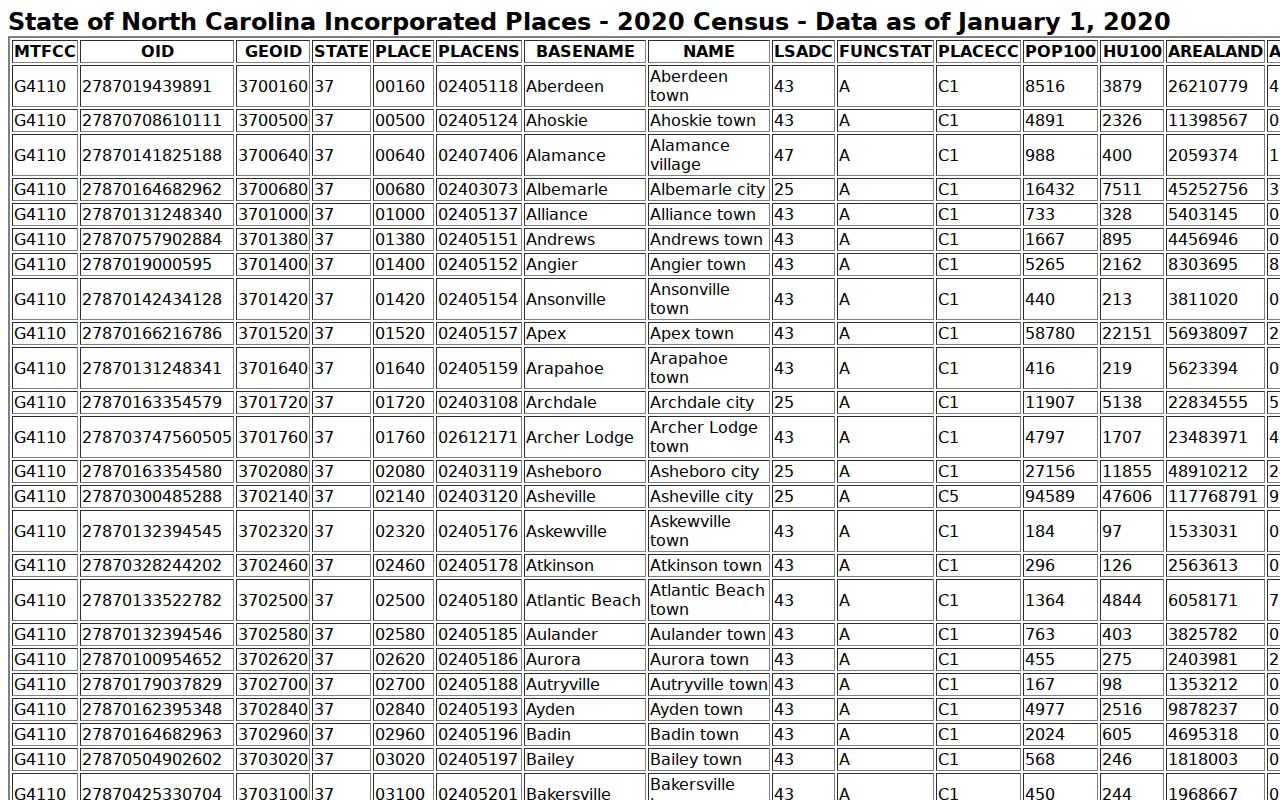
City context points you toward the right local starting spot. Even so, the Buncombe Clerk and the eCourts Portal stay the true channels for state-court records and any court docket lookup.
Map and Directions to the Buncombe County Courthouse
Superior and District Court files for Buncombe County are kept by the Clerk of Superior Court at the Buncombe County Courthouse, 60 Court Plaza, in downtown Asheville. The complex pairs the 1928 historic courthouse with a nine-story Life Safety Tower added in 2011-2012, and the Clerk's 12 divisions are spread across nine floors, with Small Claims, District Court civil, and Superior Court civil filings all located on the first floor. Arrive at least 30 minutes before a scheduled court session.
Buncombe County Courthouse
60 Court Plaza
Asheville, NC 28801
(828) 259-3400
Monday through Friday, 8:00 a.m. to 5:00 p.m.
Entry requires bag screening and a metal detector, so plan extra time to clear security. Paid parking is available in the county deck across the street at 164 College Street, and four public elevators reach the eighth floor. Calling the specific criminal, civil, small-claims, or estates division ahead of a visit helps confirm which floor to use.